
How IT Works
- Cloud CopyTrade is designed to make MT5 account-to-account trade synchronization simple, reliable, and fully controlled without VPS, manual execution, or complex technical setup.
- This page explains exactly how Cloud CopyTrade works, step by step, so you understand what happens behind the scenes before you start using the platform.
- CloudCopyTrade is a software tool only. It does not provide trading advice, signals, or performance guarantees.
Connect Your Source MT5 Account
The first step is connecting the MT5 account where trades originate.

This is typically the account where you:
- Place trades manually
- Run your own strategy
- Manage the master account for copying
Cloud CopyTrade connects securely using MT5 credentials required only for trade synchronization.
No funds are accessed, and no trades are placed without your actions on the source
account.
Once connected, Cloud CopyTrade continuously monitors trade activity on the source
account in real time.
Link One or More Destination MT5 Accounts
Next, you link the MT5 accounts where trades should be replicated.
This is typically the account where you:
- A single destination account
- Multiple destination accounts
- Accounts from different brokers (broker independent)
Each destination account is treated independently, allowing full flexibility in how trades
are copied and managed.
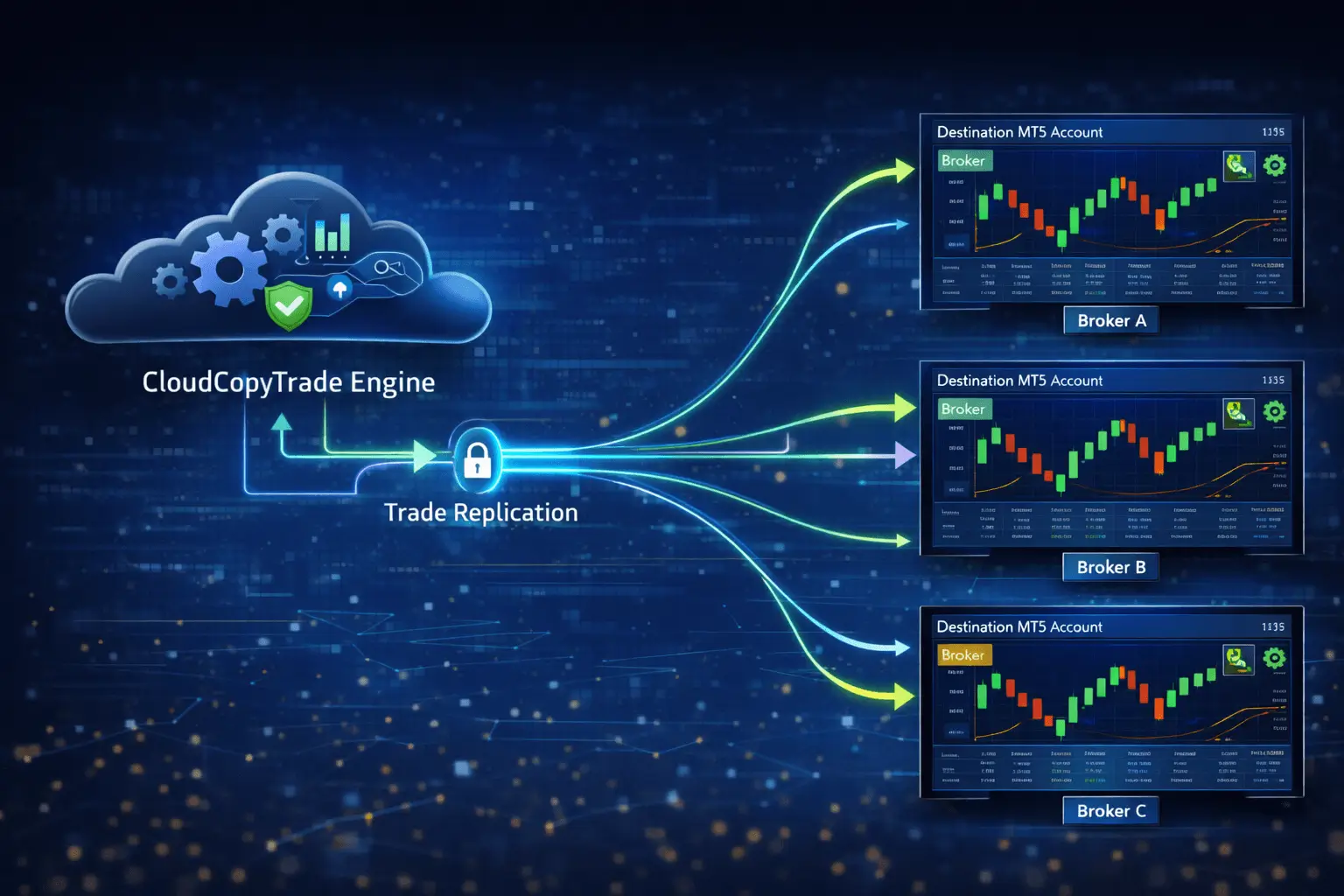
There is no need to install software, run terminals, or maintain a VPS for destination
accounts.
Once connected, Cloud CopyTrade continuously monitors trade activity on the source
account in real time.
Configure Copy Rules and Risk Settings
Before trades are copied, you define how execution should behave.
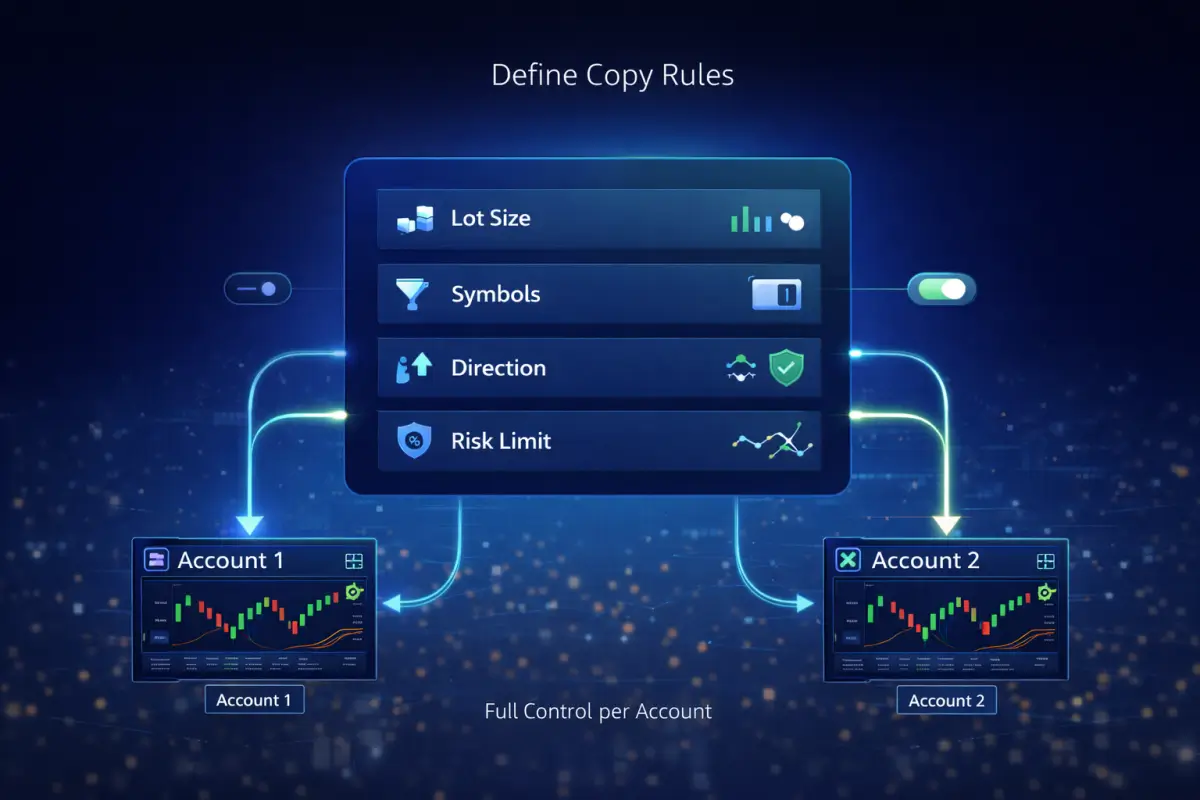
CloudCopyTrade gives you precise control over:
- Lot size calculation (proportional or fixed)
- Symbol filtering (which instruments are copied)
- Trade direction rules
- Risk limits per destination account
These rules ensure that trade replication aligns with the risk profile of each connected
account rather
than blindly copying positions.
You remain in full control at all times.
Trades Are Synchronized Automatically
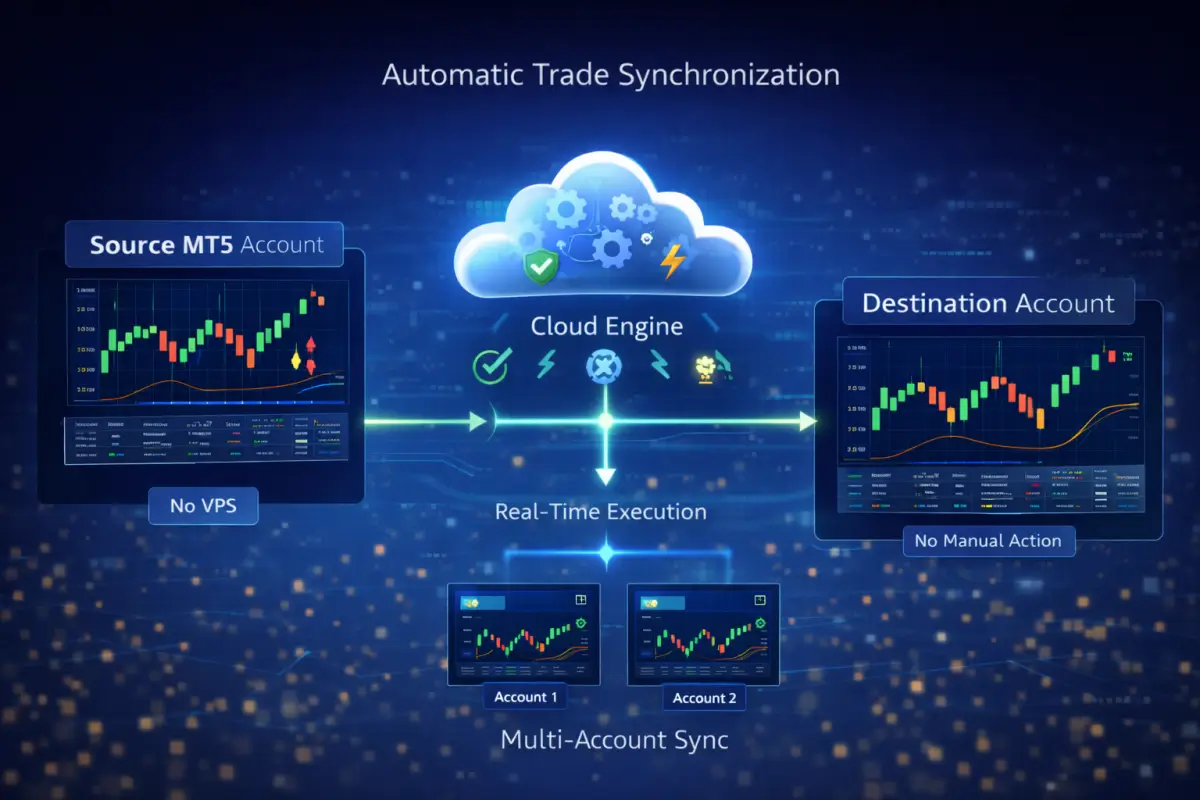
Once setup is complete, CloudCopyTrade synchronizes trades automatically.
When a trade is opened, modified, or closed on
the source MT5 account:
- The system validates the trade
- Applies your configured rules
- Replicates execution on destination accounts in real time
No manual intervention is required.
No local terminals need to stay online.
No VPS is required.
What Happens Behind the Scenes
CloudCopyTrade uses a centralized execution engine designed for stability and accuracy.
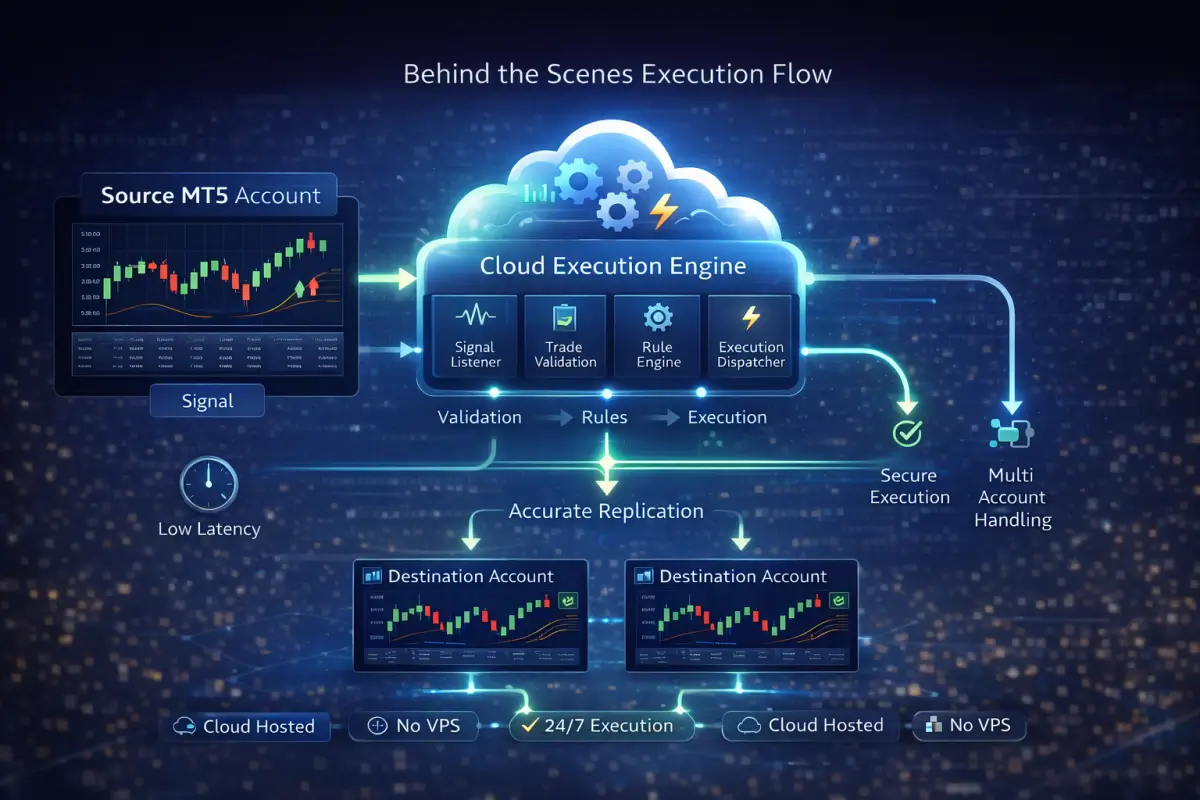
Behind the scenes, the platform handles:
- Trade capture from the source account
- Validation of symbols and lot sizes
- Risk normalization per destination account
- Execution synchronization across accounts
This architecture reduces common issues such as trade
mismatches, delayed execution,
and VPS downtime.
Why This Approach Is More Reliable Than VPS-Based Copying
Traditional MT5 copy trading tools often
rely on VPS servers and local terminals,
which
introduce additional failure points.
Cloud CopyTrade eliminates these
dependencies by operating entirely in
the cloud.
This results in:
- Fewer execution interruptions
- Reduced latency risk
- No VPS maintenance or costs
- Easier scaling across multiple accounts
The focus remains on execution consistency
rather than infrastructure management.
Who This Workflow Is Designed For
Cloud CopyTrade’s workflow is designed for users who require reliable execution across
MT5 accounts, including:

- Signal providers managing multiple follower accounts
- Fund and portfolio managers replicating trades
- Multi-account traders executing consistent strategies
- Prop-style traders managing structured setups
If your priority is execution accuracy rather than strategy
promotion, this workflow is
built for you.
Transparent, Tool-Only Operation
Cloud CopyTrade:
- Does not provide trading signals
- Does not offer investment advice
- Does not manage or access funds
- Does not guarantee profits or performance
If your priority is execution accuracy rather than
strategy promotion, this workflow is
built for you.

Start Using CloudCopyTrade
Setting up Cloud CopyTrade takes only a few minutes and does not require technical
expertise.
Once configured, the system runs automatically in the background, allowing you to focus
on trading or
account management instead of manual execution.
No credit card required.
Frequently Asked Questions
01Do I need a VPS to use Cloud CopyTrade?
No. Cloud CopyTrade is fully cloud-based and does not require a VPS or local MT5
terminal.02How quickly are trades copied?
Trades are synchronized in real time, subject to broker execution conditions and market
liquidity.03Can I change copy rules after setup?
Yes. Copy rules and risk settings can be updated at any time.
04Does Cloud CopyTrade work with any MT5 broker?
Cloud CopyTrade is broker-independent and works with most MT5 brokers.
04Can lot size and risk be controlled?
Yes. Users can configure proportional or fixed lot sizes, symbol filters, and risk parameters.
05Is this a signal or copy trading service?
No. Cloud CopyTrade is an execution synchronization tool only.